Introduction
In the fast-paced world of web development, finding the perfect balance between functionality and aesthetic appeal can be a challenging task. This was especially true when it came to implementing calendar and reservation systems. You don't want to waste too much time on it, but at the same time you can't find any alternative that is good enough to be on your website. As a developer, I often found myself frustrated by the lack of elegant, lightweight calendar solutions that could seamlessly integrate into my projects without overwhelming them with unnecessary complexity.
This frustration led to the birth of Gott Calendar UI, a React-based calendar library designed with simplicity, elegance, and efficiency at its core. The vision behind Gott Calendar UI is to provide developers with a versatile, easy-to-use calendar component that doesn't sacrifice visual appeal or performance.
npm: https://www.npmjs.com/package/gott-calendar-ui
github: [https://github.com/Atul-Ranjan12?tab=repositories
](https://github.com/Atul-Ranjan12?tab=repositories)One of the primary motivations for creating Gott Calendar UI was the realization that existing calendar libraries often came with a hefty overhead, both in terms of file size and implementation complexity. I wanted to create a solution that could be quickly integrated into any React project, allowing developers to focus on building their core application features rather than wrestling with intricate calendar configurations.
Gott Calendar UI stands out with its clean, intuitive design that adapts seamlessly to various use cases, from simple date picking to complex reservation systems. The library's modular architecture allows developers to easily customize and extend its functionality to suit their specific needs, whether it's for a small business booking system or a large-scale event management platform.
Moreover, Gott Calendar UI is built with accessibility in mind, ensuring that it's usable by a wide range of users, including those relying on assistive technologies. This commitment to inclusivity is a fundamental aspect of the library's design philosophy.
As we move forward, the vision for Gott Calendar UI extends beyond just being a calendar component. We aim to create an ecosystem of UI tools that simplify common web development tasks while maintaining a high standard of design and performance. This includes plans for additional date-related components, time management tools, and integration capabilities with popular backend systems.
In the following sections of this blog post, we'll dive deeper into the features that make Gott Calendar UI stand out, explore its ease of use through practical examples, and discuss how it can significantly streamline your development process. Whether you're a seasoned developer or just starting your journey in web development, Gott Calendar UI is designed to make your life easier and your applications more polished.
Core components of Gott Calendar UI
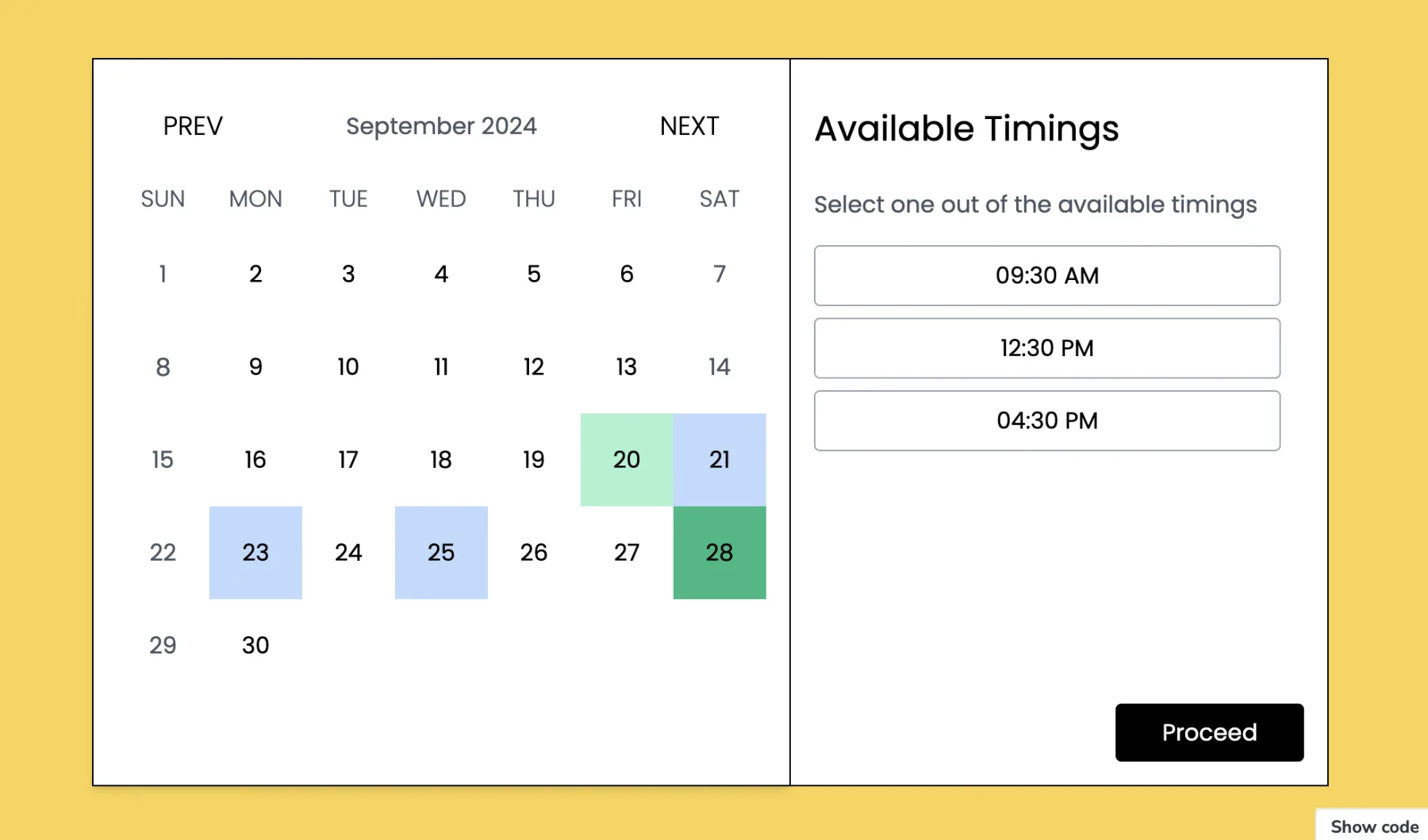
SimpleReservationCalendar
The SimpleReservationCalendar is the heart of Gott Calendar UI, offering a comprehensive solution for booking and reservation needs. This component stands out with its:
- Intuitive Date Selection: Users can easily navigate through months and select dates with a clean, responsive interface.
- Time Slot Integration: For businesses offering specific time slots, this feature allows users to select not just the date but also the preferred time of their reservation.
- Customizable Validation: Developers can implement custom logic to determine which dates are available, ensuring the calendar aligns perfectly with business rules.
- Error Handling: Clear, customizable error messages guide users when they select unavailable dates or times.
- Form Integration: The ability to include additional form fields for gathering necessary information during the reservation process.
- Dark Mode Support: Enhancing user experience in low-light environments with a sleek dark theme option.
SimpleRangePicker
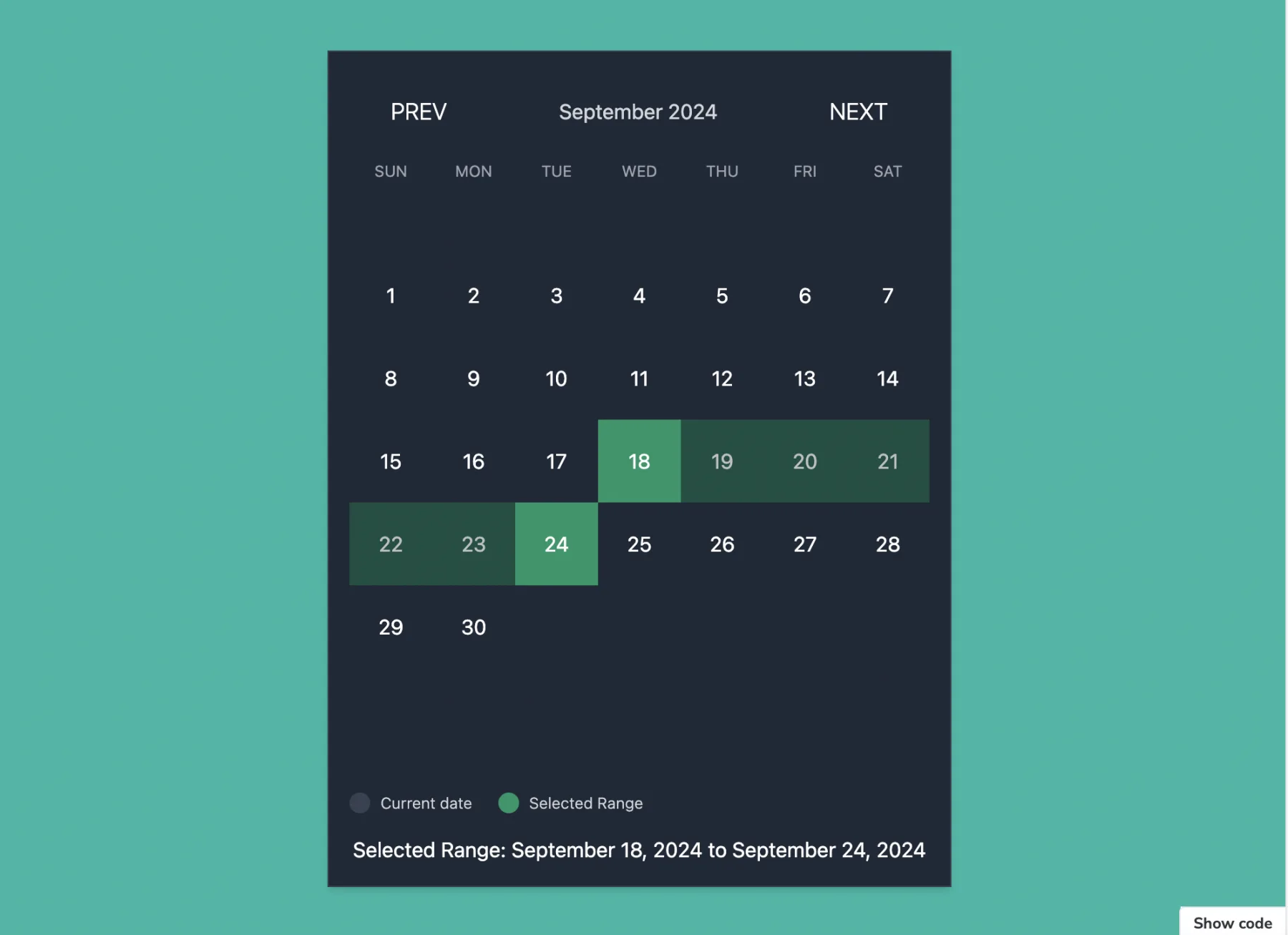
For applications requiring date range selection, the SimpleRangePicker component offers:
- Flexible Range Selection: Users can easily select start and end dates for their desired range.
- Custom Range Validation: Implement business logic to validate selected date ranges, ensuring they meet specific criteria.
- Visual Feedback: Clear visual cues indicate the selected range, improving user understanding and interaction.
- Error Management: Robust error handling for invalid selections, with customizable error messages.
SimpleCalendar
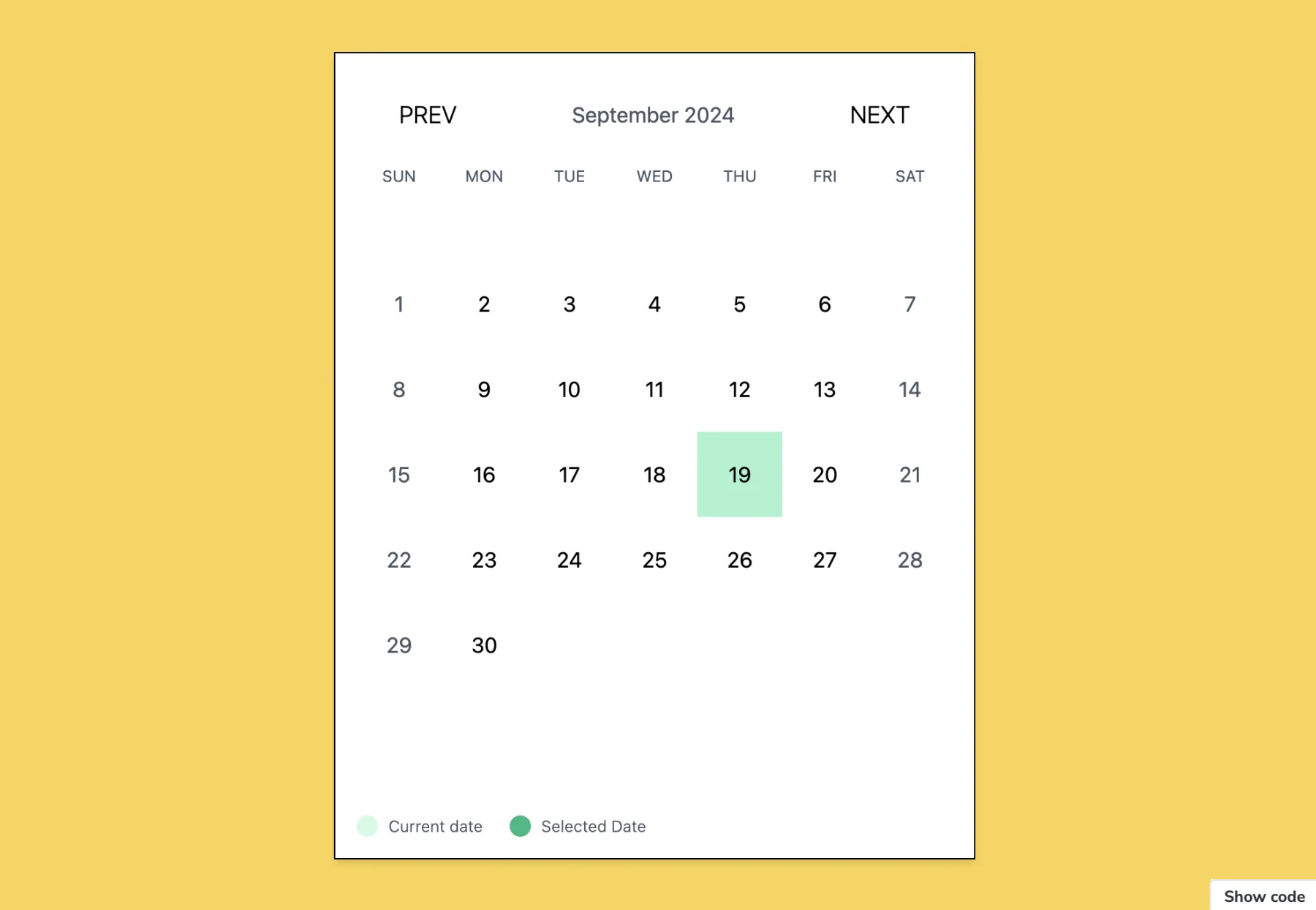
When a basic yet powerful calendar is needed, the SimpleCalendar component delivers:
- Single Date Selection: Perfect for applications requiring users to pick individual dates.
- Customizable Date Validation: Easily implement rules for which dates can be selected.
- Responsive Design: Adapts seamlessly to various screen sizes and devices.
- Accessibility Features: Ensuring the calendar is usable for all, including those using assistive technologies.
Calendar
The Calendar component serves as a versatile foundation, ideal for:
- Date Display: Clearly presents dates in a familiar calendar format.
- Navigation: Easy month-to-month navigation with intuitive controls.
- Customization: Flexible styling options to match your application’s design.
BookingCalendar
Tailored for reservation-heavy applications, the BookingCalendar component offers:
- Backend Integration: Ability to fetch available dates from a server, ensuring real-time accuracy.
- Custom Date Formatting: Flexibility in how dates are displayed and processed.
- Reservation Labeling: Clearly mark and label reservation days for better user understanding.
- Error Handling: Comprehensive error management for unavailable date selections.
Key Features Across Components
- Responsive Design: All components are built to provide an optimal experience across devices.
- Customization Options: Extensive props allow for deep customization to fit specific use cases.
- Performance Optimized: Lightweight implementation ensures fast loading and smooth interactions.
- Accessibility: Designed with WCAG guidelines in mind for inclusive user experiences.
- Easy Integration: Simple to incorporate into existing React projects with minimal setup.
Use Cases and Applications
Gott Calendar UI’s versatility makes it suitable for a wide range of applications:
- Appointment Booking Systems: For healthcare providers, consultants, or service-based businesses.
- Hotel and Accommodation Reservations: Perfect for displaying available dates and managing bookings.
- Event Planning and Management: Ideal for selecting event dates or managing multi-day conferences.
- Travel Date Selection: For flight bookings, vacation planning, or car rentals.
- Project Timeline Management: Useful in project management tools for setting milestones and deadlines.
- Class and Course Scheduling: Excellent for educational institutions or online learning platforms.
Conclusion
Gott Calendar UI represents a significant step forward in simplifying calendar and date-related functionalities in React applications. Its blend of simplicity, elegance, and robust features makes it an invaluable tool for developers looking to implement date-based interactions efficiently.
As we continue to evolve and expand the capabilities of Gott Calendar UI, we invite developers to explore its potential, contribute to its growth, and leverage its power to create more intuitive, user-friendly applications. The future of date and time management in web applications is here, and it’s more accessible than ever with Gott Calendar UI.