Pen Buddy
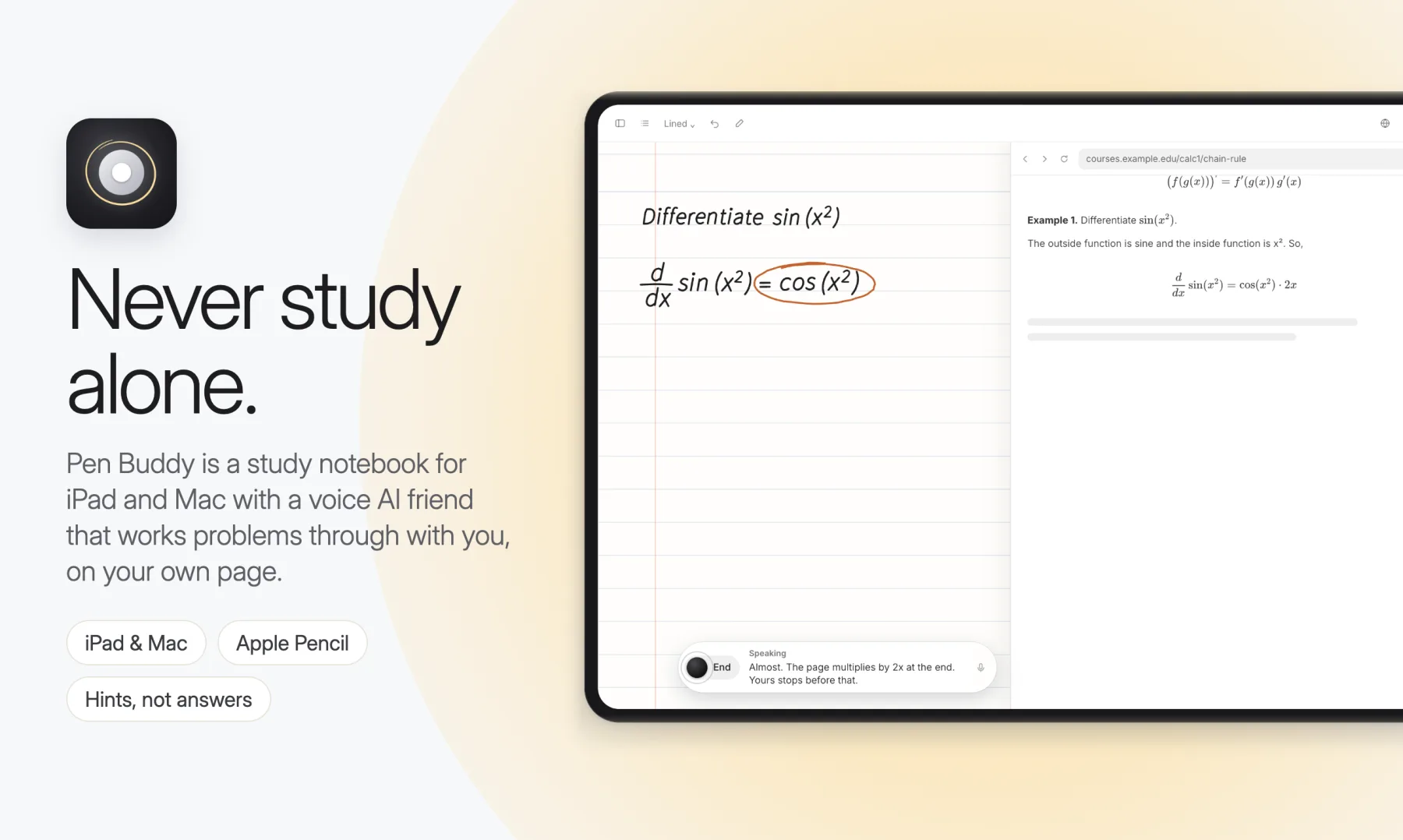
A study notebook for iPad and Mac with a voice AI friend that works problems through with you, on your own page. Hints, not answers.
- Client
- Our product · iPad & Mac
- Role
- Product, design and engineering
- Year
- 2026
- Practice
- Software
- Link
- penbuddy.app
At a glance
- Client
- Our product · iPad & Mac
- Starting point
- Studying alone is hard in a specific way: you get stuck, you lose momentum, and there is nobody to think out loud with.
- What we built
- A study notebook for iPad and Mac with a voice AI friend that works problems through with you, on your own page. Hints, not answers.
- Focus
- AI tutor, Voice, iPad & Mac, Apple Pencil
Studying alone is hard in a specific way: you get stuck, you lose momentum, and there is nobody to think out loud with. Most AI tutors answer that with a chatbot that explains everything, which takes the learning away. Pen Buddy takes a different route: a calm notebook first, with a study buddy sitting next to you.
What it is
- A notebook first. Notes, problems, PDFs and Apple Pencil handwriting live in one native app on iPad and Mac, stored on the device.
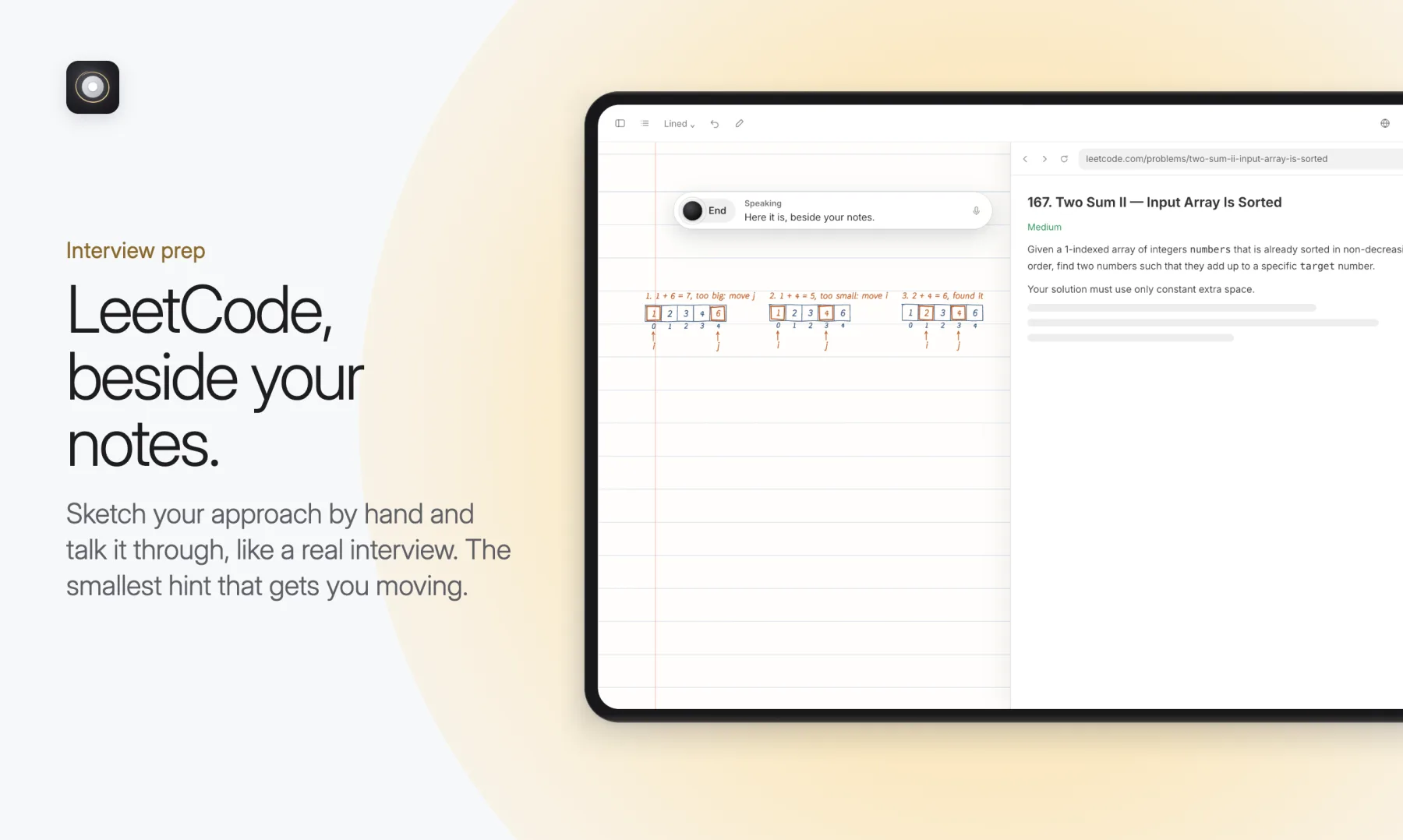
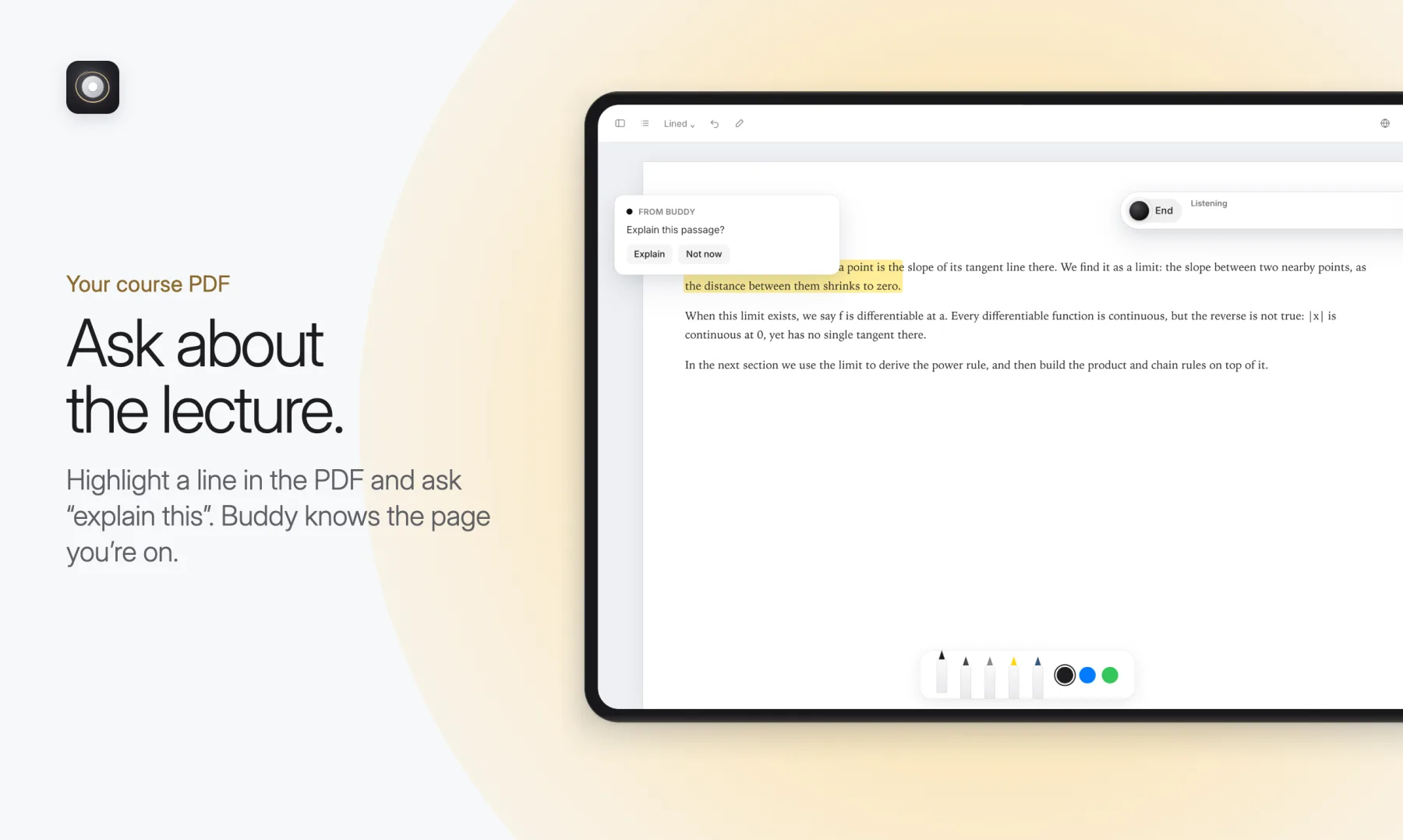
- A friend, not a tutor-bot. You talk to Buddy out loud. It hears you, sees what you are working on (your page, your PDF, the in-app browser, or your screen on the Mac) and answers in a warm, natural voice with live captions.
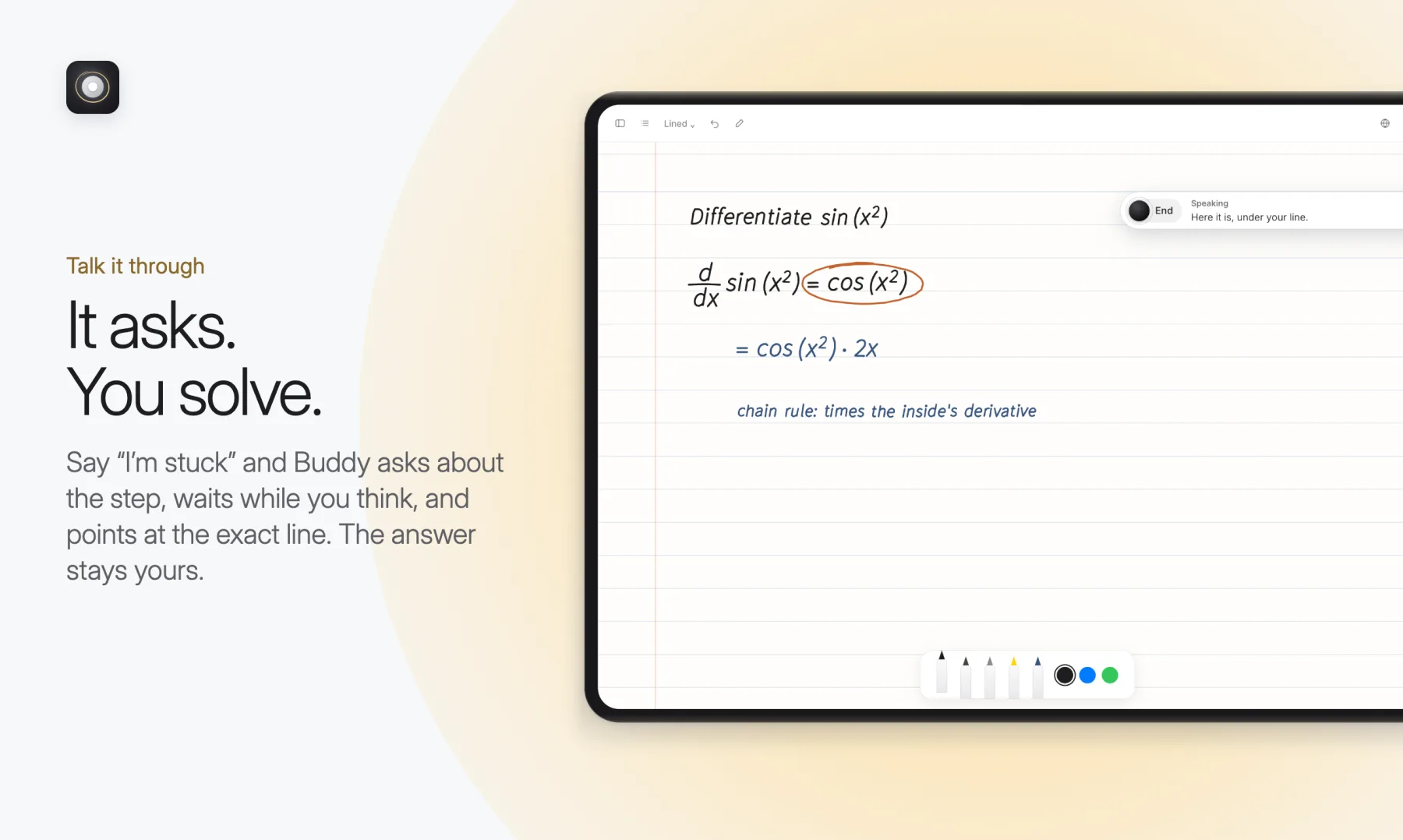
- You solve; Buddy thinks quietly. It works the problem out in the background so it is ready to help, but gives hints before answers and only gives the solution when you ask.
- Everything becomes notes. Each conversation is saved into the note you were in, with a summary, the problem and review questions.
Buddy writes on your page
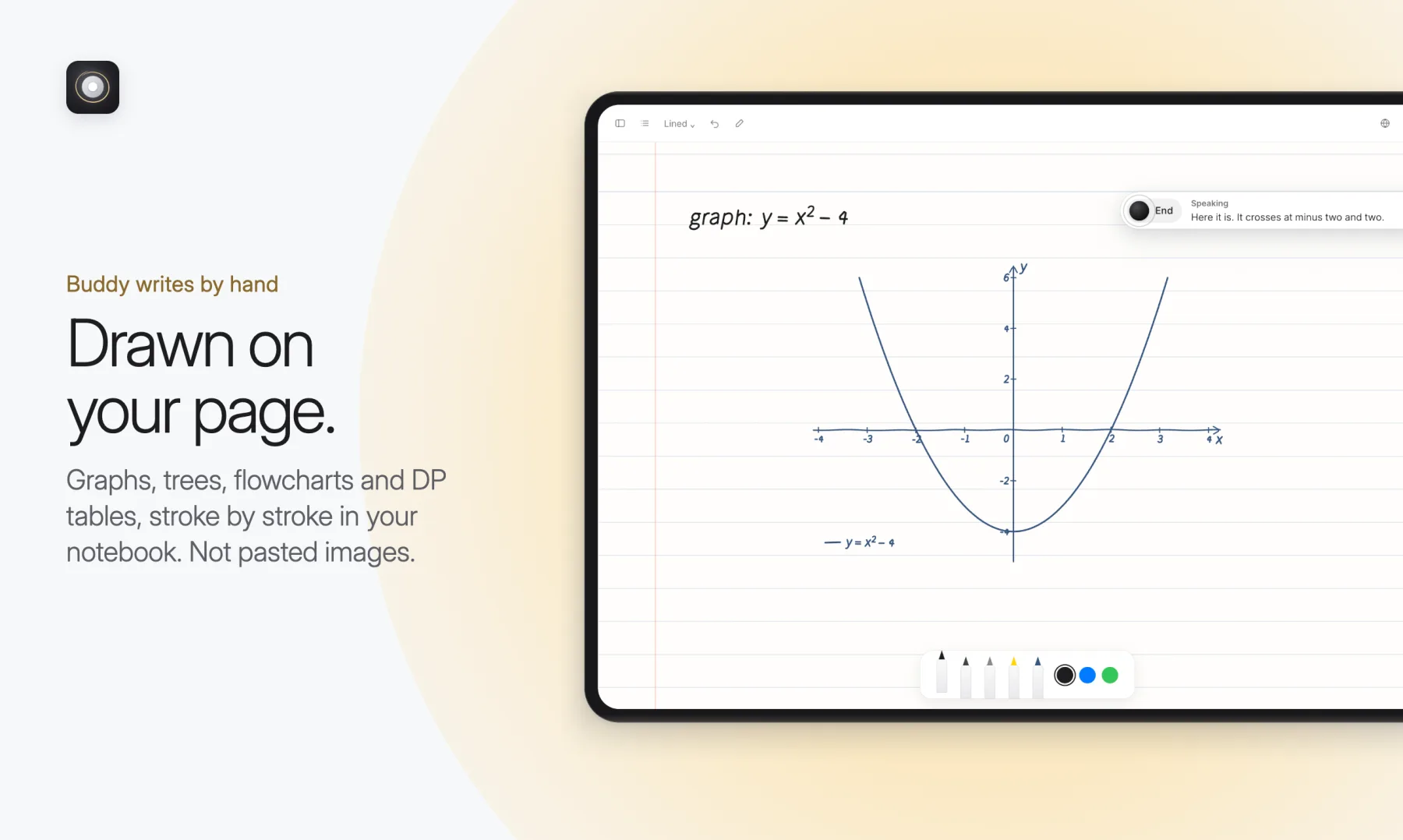
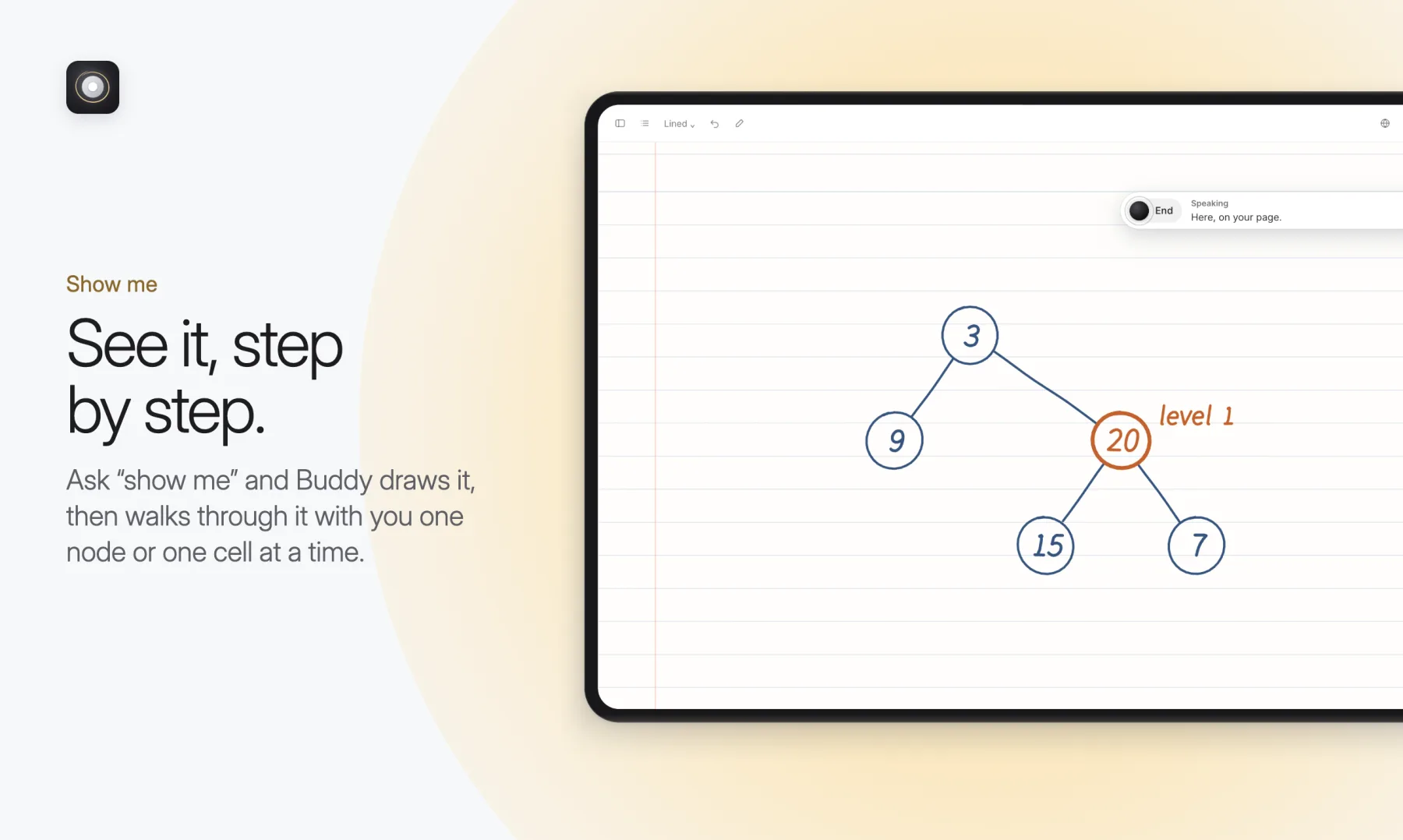
On iPad, Buddy writes by hand: it circles the slip in your working, writes the next step under your line, and draws graphs, trees, flowcharts and DP tables stroke by stroke. Not pasted images.
Quiet by default
Buddy speaks when you talk to it, or at a handful of rare, polite moments: a new problem, a follow-up, when your own answer is right, when you have been stuck a while, or (rarely) when your approach is clearly heading the wrong way. One person speaks at a time: interrupt it and it stops.
How it is built
- Mac: a native-feeling Electron app with screen tutoring: share once per conversation and Buddy follows what changes, reading text on the device first so unchanged screens cost nothing.
- iPad: a native Swift shell running the same app, with Apple Pencil notes, PDF annotation and a built-in study browser beside your notes.
- Voice: speech recognition with live captions; Kokoro text-to-speech runs on the device, with six voices.
- Thinking: a fast model for conversation and a stronger one for real problem reasoning, plus tools to read and edit notes, write on the page, mark work, sketch diagrams, search the web and make review cards.
- Review: spaced repetition (SM-2) over cards Buddy makes from your sessions.
- Private: notes, handwriting and voice stay on your device (SQLite); only the AI calls leave it.
Never study alone.